
On this page
AI tools have become a genuine part of how a lot of freelance consultants work. Not in a transformative, replace-everything way, but in a quieter, more useful way: faster first drafts, quicker research, better admin. If you haven’t built AI into your practice yet, this guide covers where to start, what works, and what to watch out for.
What freelance consultants are using AI for
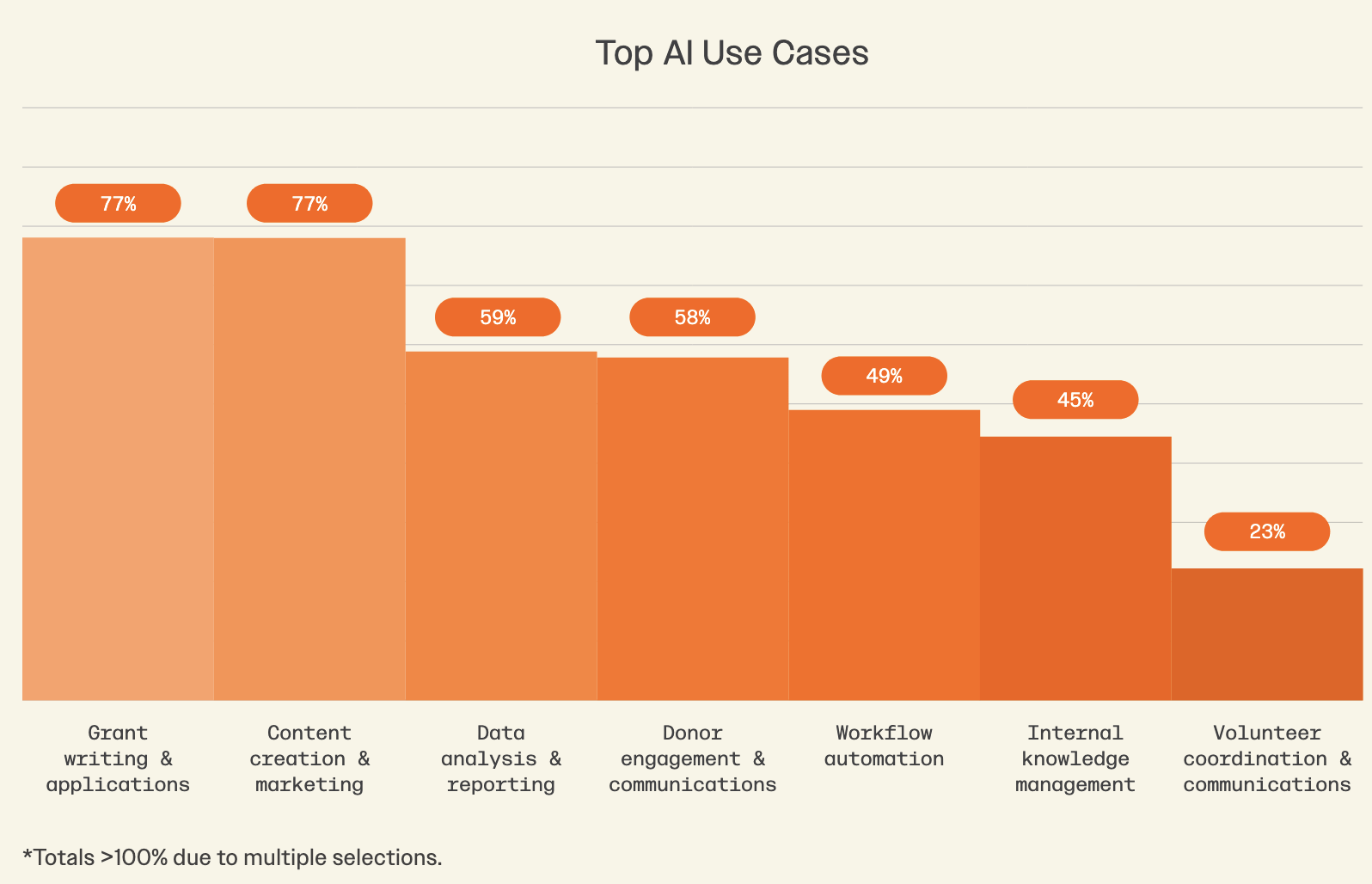
The most common uses among independent consultants are unsurprising once you think about the parts of freelance work that eat the most time:
- Proposal and report writing — turning bullet points into polished first drafts, then editing from there
- Content creation — blog posts, newsletters, LinkedIn updates, case study write-ups
- Research and summarising — processing long documents, reports, or briefings quickly
- Client communications — drafting emails, status updates, and meeting notes
- Data analysis and reporting — interpreting results, writing up findings
- Workflow automation — templates, scheduling, admin tasks that don’t need your brain
The freelancers getting the most out of these tools aren’t using AI to replace their thinking. They’re using it to handle the mechanical parts of their work — the first draft, the reformatting, the summary — so they can spend more time on the stuff that actually requires their expertise.
Which tools to use
Most freelancers start with off-the-shelf AI tools, and that’s the right call. You don’t need custom models or complex integrations to get value from AI — the general-purpose tools are good enough for most use cases.
- ChatGPT (OpenAI) — the most widely used; good for writing, research, and general tasks
- Claude (Anthropic) — strong for long documents, nuanced writing, and following detailed instructions
- Gemini (Google) — integrates well with Google Workspace; useful if you live in Docs and Sheets
- Perplexity — good for research with citations; better than ChatGPT when you need sources
- Notion AI, Canva Magic Studio, HubSpot Breeze — AI built into tools you may already use
Start with one. Get comfortable with prompting, understand what it does well and badly, then layer in others as needed.
How to get better results from AI
The quality of what you get out depends almost entirely on what you put in. A vague prompt gets a vague answer. A specific, well-structured prompt gets something much closer to usable.
Give it context
Tell the AI who you are, who the audience is, and what the output is for. “Write a proposal introduction” is much weaker than “Write a proposal introduction for a freelance digital strategy consultant pitching a 3-month project to a mid-sized charity. Tone should be confident but not salesy.”
Edit, don’t publish
AI writing sounds like AI writing — slightly too smooth, slightly generic. Use it as a starting point, not an endpoint. Your job is to make it sound like you.
Build reusable prompts
Once you find a prompt that works well — for your standard proposal structure, your monthly report template, your invoice follow-up email — save it. You’re building a personal library of AI workflows that get faster every time you use them.
Use it for the boring bits
The highest-value use of AI for most freelancers isn’t creative work — it’s the repetitive, time-consuming admin that doesn’t require your expertise. Formatting documents, converting notes into minutes, turning bullet points into paragraphs. Offloading these frees up time for the work clients actually pay for.
What to watch out for
Data privacy
Don’t paste confidential client information into a general-purpose AI tool unless you’ve checked the privacy terms. Most major tools now offer options to disable training on your inputs, but it’s worth verifying before you share anything sensitive. If in doubt, anonymise it first.
Hallucinations
AI tools make things up — statistics, citations, names, facts. Always verify anything factual before including it in client work. Use AI for structure and language, not as a source of truth.
Over-reliance
Clients hire you for your expertise and judgement — not for your ability to run prompts. AI should make your work faster and better, not shallower. If you’re using it to think instead of to execute, that’s a problem.
Where to start
Pick one task you do regularly that takes more time than it should. Write a detailed prompt. See what you get. Iterate. That’s it — you don’t need a strategy, you need a starting point.
Most freelancers who use AI well didn’t plan their way into it. They just started using it for one thing, found it useful, and kept going.